

What is the Inbox?
The Inbox is your central hub for managing all conversations across all your agents. Instead of viewing conversations agent by agent, the Inbox provides a unified view where you can monitor, filter, and manage every customer interaction in one place. With the Inbox, you can:- View all conversations from all your agents in a single feed
- Filter and search through conversations efficiently
- Take over conversations to provide human assistance when needed
- Access detailed conversation analysis and insights
- Manage contact information automatically extracted from conversations

Conversation List
The left panel displays all conversations across your agents. Each conversation shows key information like the contact name, last message preview, timestamp, conversation status, tags and associated agent.Filtering Conversations
Use the filter options to quickly find specific conversations:- By Date: Filter conversations from a specific time period or date range
- By Source: Filter by conversation source (website, WhatsApp, Instagram, phone, etc.)
- By Analysis Results: Filter based on AI-analyzed conversation data like sentiment, intent, or custom analysis fields
- By Tags: Filter conversations by assigned tags for easy categorization
- By Status: Filter by conversation status (resolved, takeover, spam, etc.)
- By Agent: Filter conversations handled by specific agents
- By Contact: Filter conversations with specific contacts
Conversation View
The middle panel displays the full conversation thread for the selected conversation. You can read through the entire exchange between the agent and the contact.Conversation Actions
Click the actions button at the top right corner of the conversation view to access available actions: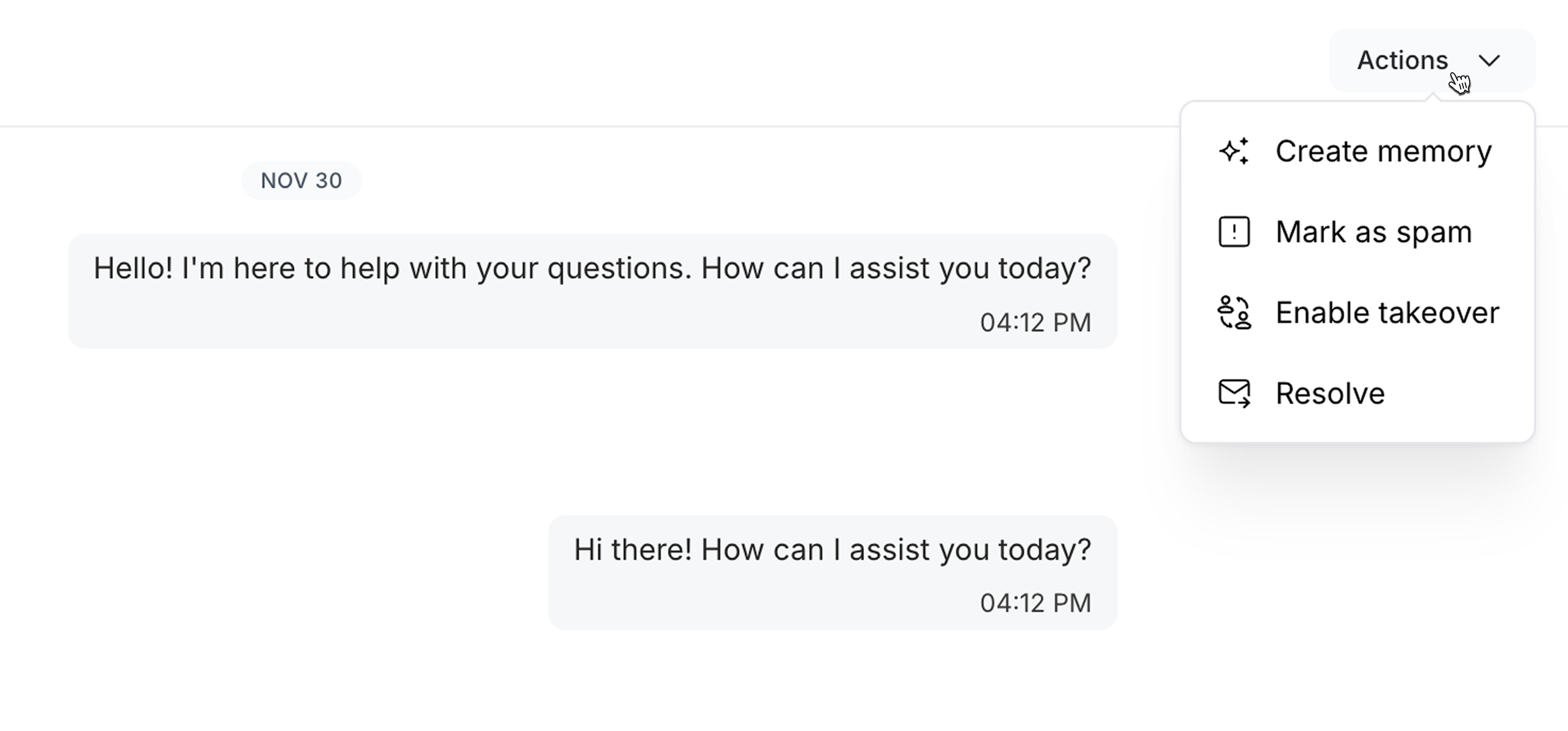
- Create Memory: Save important information from this conversation to the agent’s long-term memory, helping it remember context for future interactions with this contact.
- Mark as Spam: Flag a conversation as spam or irrelevant, helping improve your inbox quality. Agent will stop responding to the conversation.
- Take Over: Manually take control of the conversation to provide human assistance. The agent will stop responding and you can reply directly to the contact.
- Handoff: Mark the conversation as resolved or unresolved after a human agent has provided assistance.
Details Panel
The right panel provides in-depth information about the selected conversation. It’s split into two sections: Conversation Details and Contact Information.Conversation Details
View comprehensive information about the conversation:- Properties: Relevant information about the conversation like source, agent, status, tags, created at and last updated at.
- Recording: Voice call recording (if available)
- Analysis: AI-analyzed conversation data like sentiment, intent, resolution status, key topics and custom properties.
Contact Information
Every conversation is associated with a contact. The contact information section displays:- Name: Contact’s name (automatically extracted or provided)
- Email: Contact’s email address
- Phone: Contact’s phone number
- Social Profiles: Contact’s social profiles (Facebook, Instagram, etc.)
- Created At: The date and time the contact was created
- Last Updated At: The date and time the contact was last updated
- Notes: Any additional notes about the contact