

What are Contacts?
Contacts in Droxy are individuals who have interacted with your agents. Every conversation is associated with a contact, and Droxy automatically extracts and creates contact records from these interactions. With the Contacts page, you can:- View all contacts across all your agents in one centralized location
- Search and filter contacts to find specific individuals quickly
- Manually add new contacts
- Edit and update contact information
- View conversation history for each contact
- Track all interactions a contact has had with your agents
Contacts Table
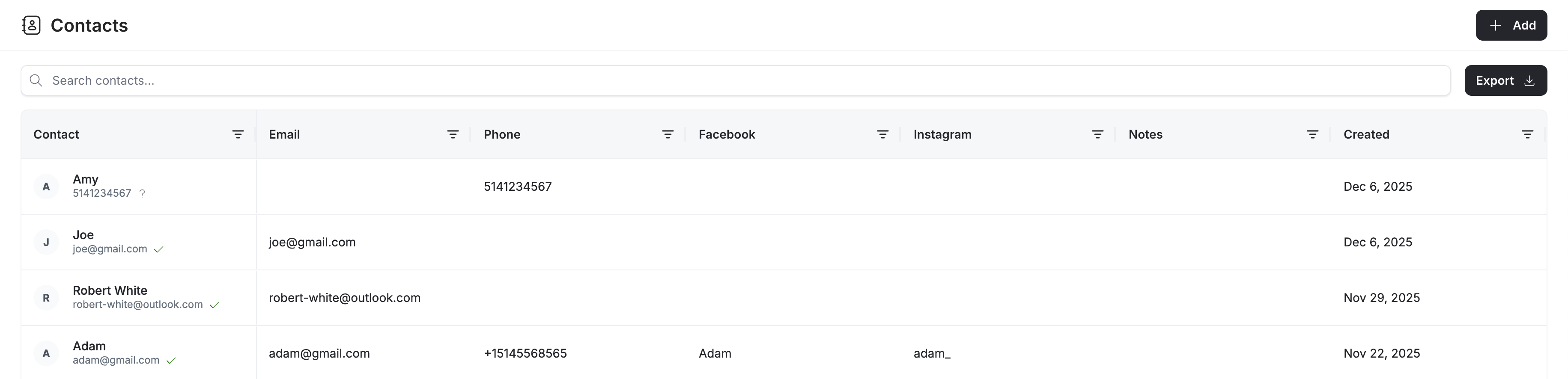
- Name: The contact’s name
- Email: Email address
- Phone: Phone number
- Social Profiles: Links to Facebook, Instagram, and other social media profiles
- Created At: When the contact was first created
Searching and Filtering Contacts
Use the search bar and filters to quickly find specific contacts by any property.Adding Contacts Manually
While Droxy automatically creates contacts from conversations, you can also manually add contacts by clicking the Add Contact button.Editing Contact Details
To view and edit a contact’s full information, double-click on any row in the contacts table. This will open a detailed panel with three main sections: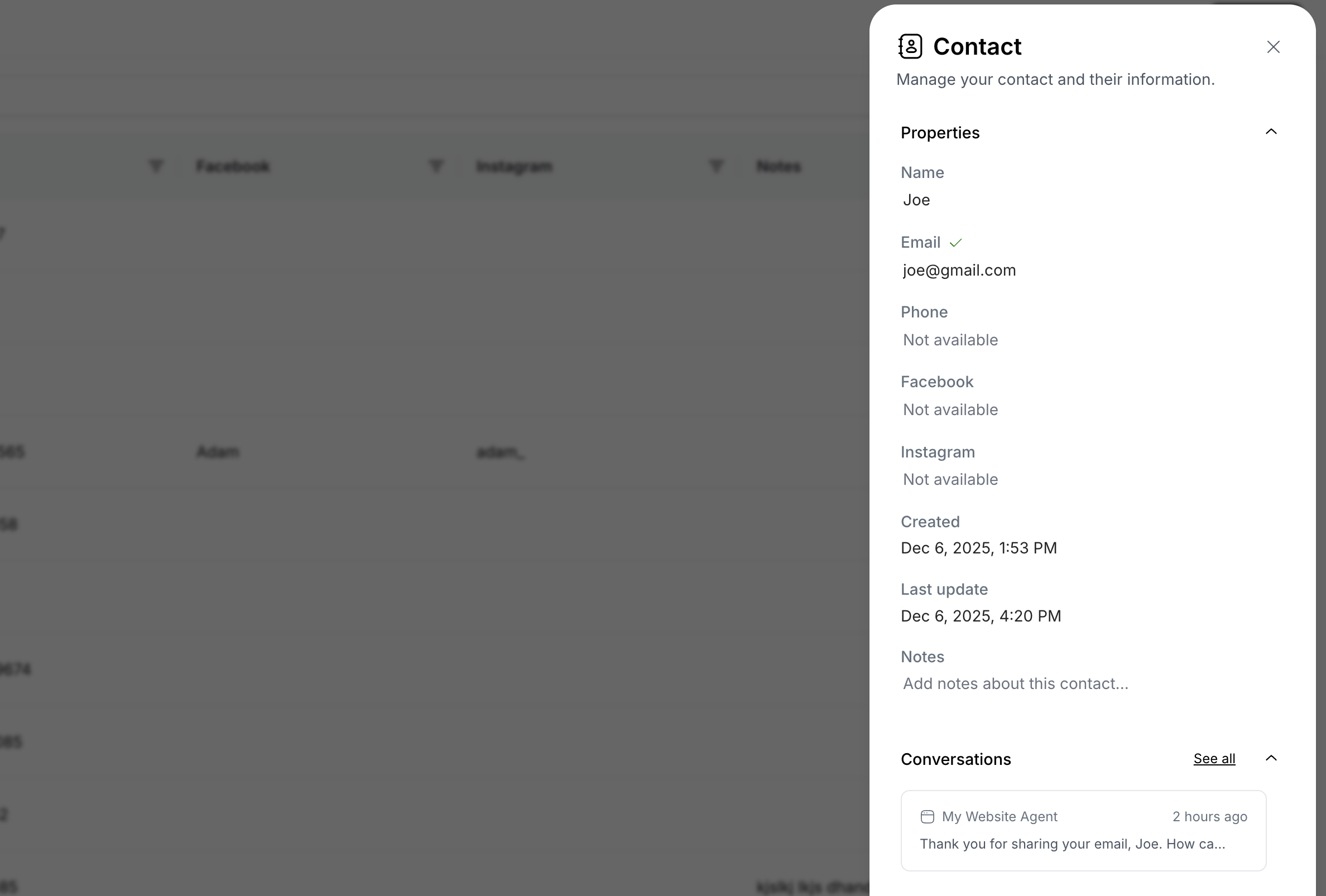
Contact Information
View and edit all contact details:- Name: Contact’s full name
- Email: Email address
- Phone: Phone number
- Social Profiles: Links to Facebook, Instagram, and other social media profiles
- Created At: When the contact was first created
- Last Updated: Most recent update timestamp
- Notes: Additional notes or information about the contact
Conversation History
View all conversations this contact has had with your agents:- See a chronological list of all interactions
- Click on any conversation to view the full conversation thread
- Quickly understand the complete relationship history with this contact