

What is Custom Conversation Extraction?
Custom Conversation Extraction allows you to define exactly what information you want Droxy to extract and analyze from every conversation. Instead of relying only on default analysis, you can create a custom schema that automatically extracts business-critical data points tailored to your specific needs. This powerful feature uses AI to intelligently identify and extract the information you specify, turning every conversation into structured, actionable data that you can filter, analyze, and act upon.How to Configure Custom Conversation Extraction
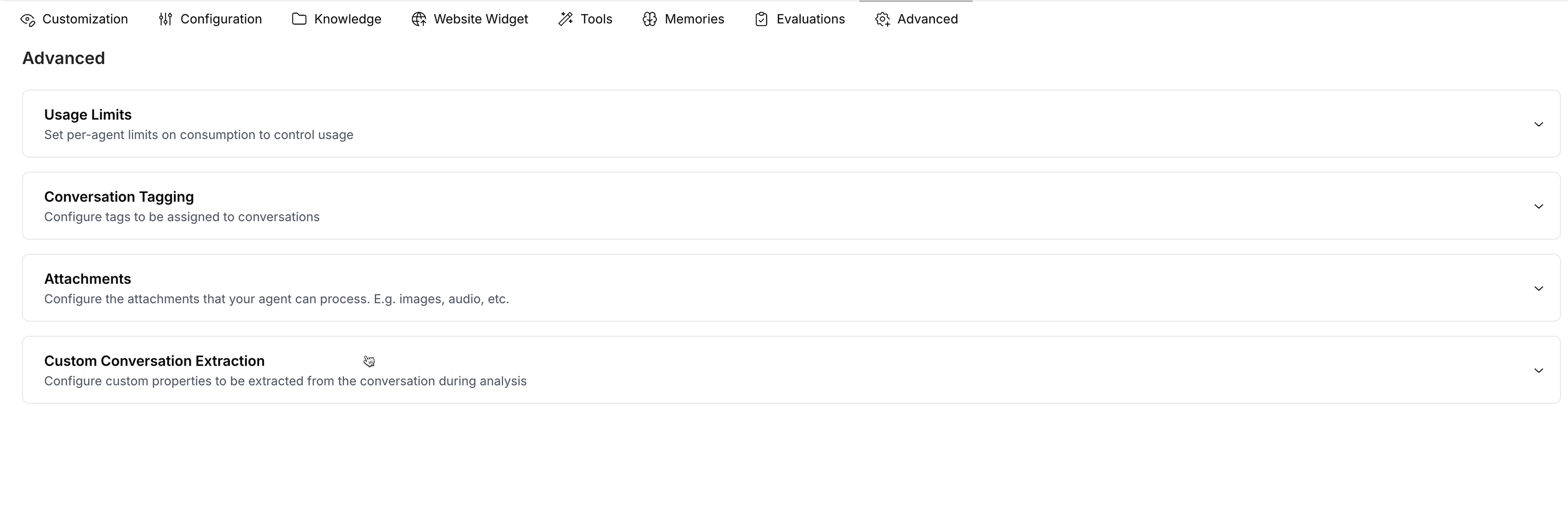
- From your agent’s dashboard, click the Advanced section
- Scroll to the Custom Conversation Extraction accordion
- Click Add Field to create a new extraction field
- Configure your custom analysis fields (see examples below)
- Click Save to apply your configuration
Field Types and Examples
You can create extraction fields with different data types to capture various kinds of information:String Fields
Extract text-based information with predefined values or free-form text.
- Field Name:
Lead Quality - Description: “Quality of the lead for sales purposes based on budget, timeline, and fit indicators”
- Type: String with predefined values
- Values:
hot,warm,cold,not_applicable
- Field Name:
Product Mention - Description: “The specific product, service, or feature name discussed in the conversation”
- Type: String (free-form)
Enumerated Values
Create fields with specific options to categorize conversations consistently.
- Field Name:
Urgency - Description: “How urgently this conversation needs attention or follow-up”
- Type: Enum
- Values:
low,medium,high,critical
- Field Name:
Department - Description: “Which department should handle this conversation”
- Type: Enum
- Values:
sales,support,billing,technical,general
Number Fields
Extract numerical data for quantitative analysis and scoring.
- Field Name:
Satisfaction Score - Description: “Satisfaction score on a scale of 1 to 10 based on the customer’s tone and sentiment”
- Type: Number (1-10)
- Field Name:
Budget Amount - Description: “Budget or price range mentioned by the customer”
- Type: Number
Boolean Fields
Extract yes/no information for binary classification.
- Field Name:
Demo Requested - Description: “Whether the customer requested a product demonstration”
- Type: Boolean
- Field Name:
Competitor Mentioned - Description: “Whether the customer mentioned using or considering a competitor”
- Type: Boolean
Array Fields
Extract multiple values or items from a single conversation.
- Field Name:
Objections Raised - Description: “Specific concerns, hesitations, or objections expressed by the customer”
- Type: Array of strings
- Field Name:
Pain Points - Description: “Specific problems or challenges mentioned by the customer”
- Type: Array of strings
What You Can Unlock
Custom Conversation Extraction opens up powerful possibilities for your business:Sales Intelligence
- Qualify Leads Automatically: Extract lead quality, budget, timeline, and decision-making authority to prioritize follow-ups
- Track Product Interest: Identify which products or features customers are most interested in
- Detect Buying Signals: Capture urgency indicators, budget mentions, and timeline references
- Competitive Analysis: Track competitor mentions and understand why customers are comparing options
Customer Success
- Measure Satisfaction: Automatically score customer satisfaction based on conversation tone and sentiment
- Identify At-Risk Customers: Flag conversations with negative sentiment or complaint indicators
- Track Feature Requests: Capture and categorize product feedback and feature requests
- Monitor Support Quality: Extract resolution status, response quality, and customer satisfaction
Marketing Insights
- Understand Customer Needs: Extract pain points, challenges, and goals mentioned in conversations
- Track Campaign Performance: Identify how customers heard about you and which campaigns drive conversations
- Content Opportunities: Discover frequently asked questions that could become blog posts or FAQs
- Persona Development: Build detailed customer personas based on extracted conversation data
Operations and Analytics
- Filter and Segment: Use extracted data to filter conversations in your inbox by any custom field
- Export for Analysis: Export conversations with custom fields to analyze trends and patterns
- Automate Workflows: Use extracted data to trigger automations (via Zapier or API integrations)
- Report to Stakeholders: Create dashboards and reports based on structured conversation data