> ## Documentation Index
> Fetch the complete documentation index at: https://docs.droxy.ai/llms.txt
> Use this file to discover all available pages before exploring further.
# Agent
> Learn how to share your Droxy agent
## Why Share Your Agents?
Droxy allows you to share your agent with others. You can share your agent with your team, with your clients, or with the public.
The sharing feature lets you distribute access to your AI agent through a simple shareable link. Once shared, users can interact with your agent.
You can also revoke or modify access at any time through the sharing settings.
## How to Share Your Agent?
### 1. Open the Sharing Settings
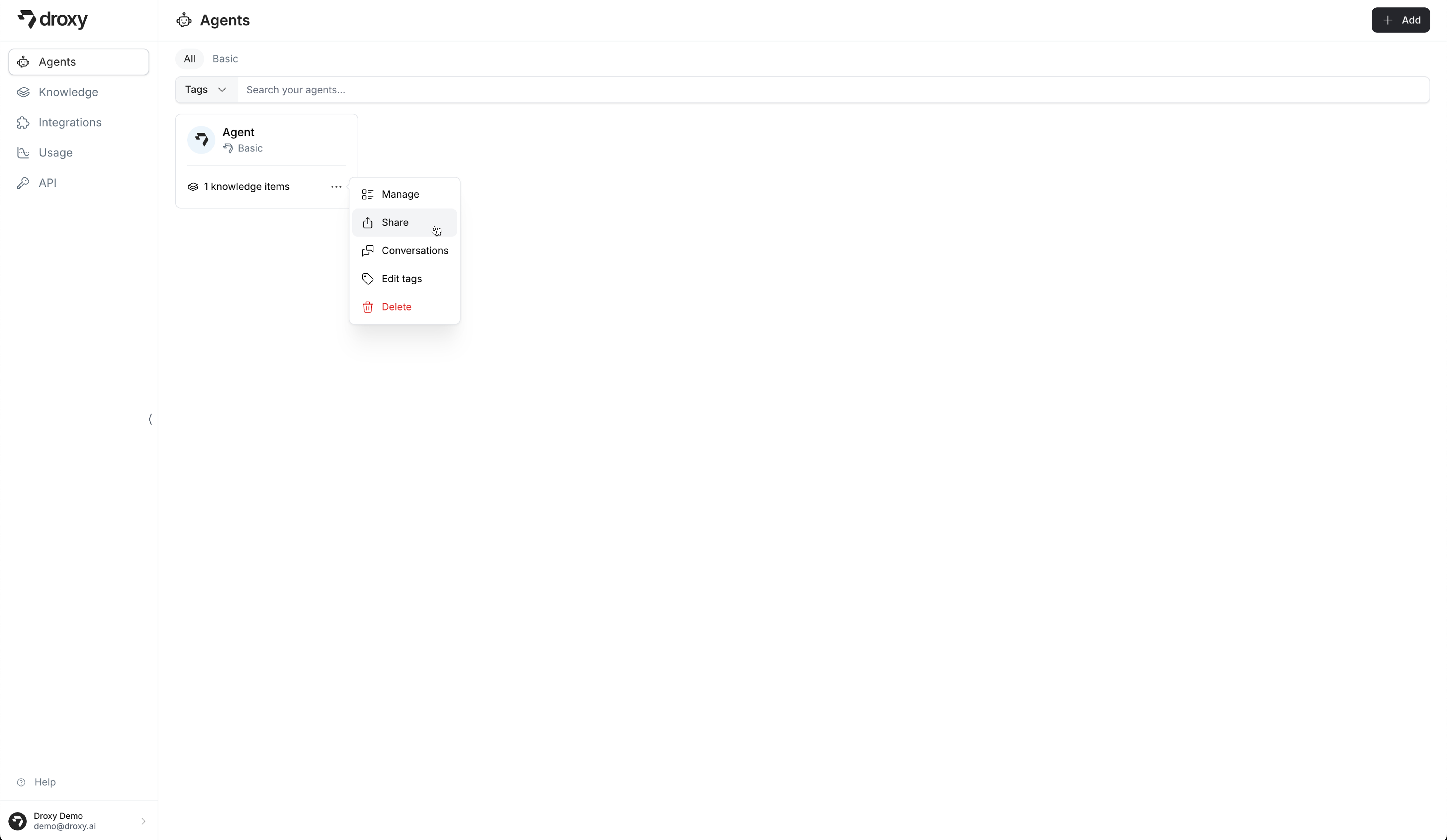
Open the sharing settings by clicking on the **Share** button on the agent's dropdown menu.
 ### 2. Select the Sharing Configuration
Select the sharing configuration you want to use.
#### 2.1 Select the Accessibility
Select the accessibility of the agent.
### 2. Select the Sharing Configuration
Select the sharing configuration you want to use.
#### 2.1 Select the Accessibility
Select the accessibility of the agent.
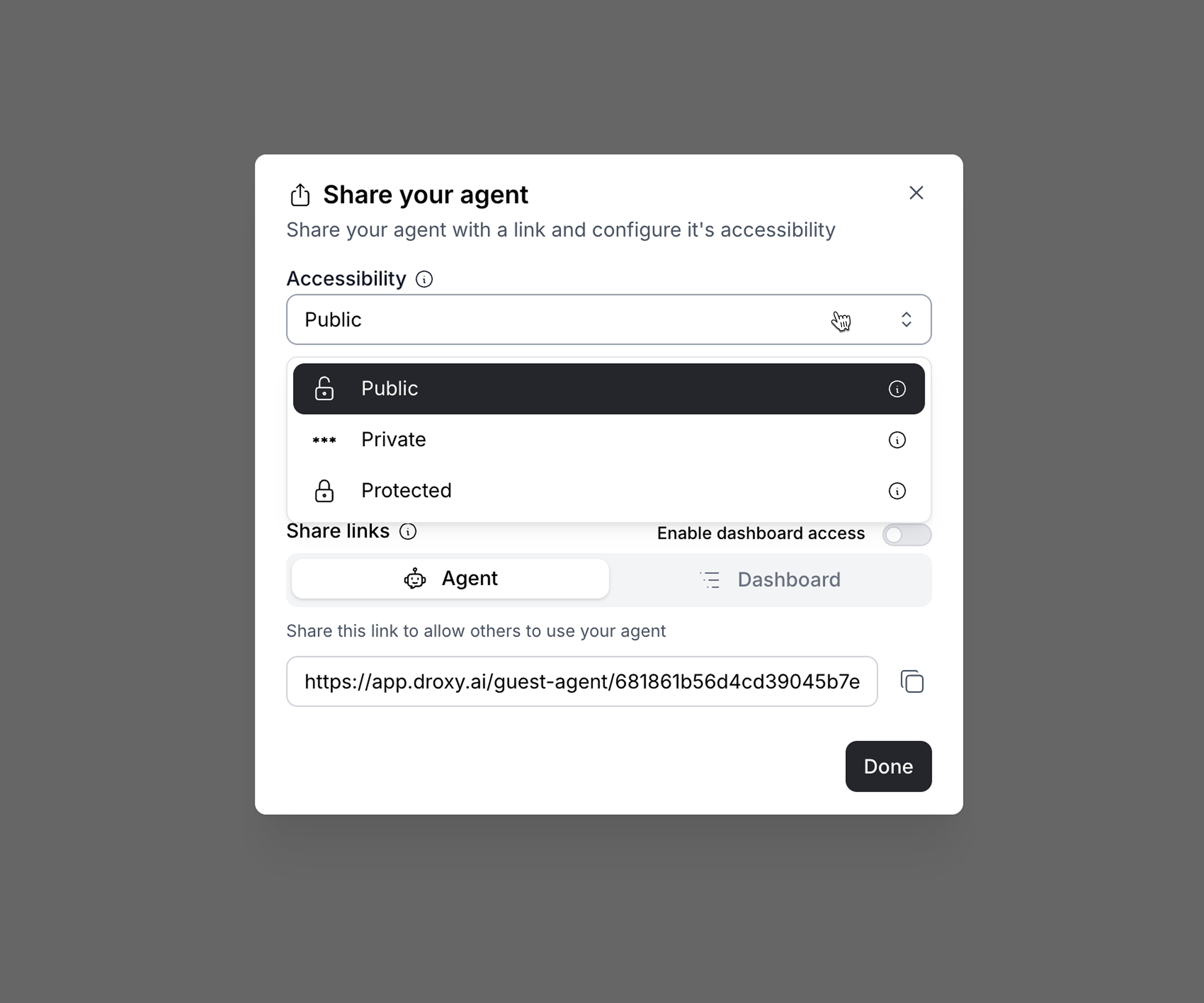 * **Public**: Make the agent accessible to everyone.
* **Private**: Make the agent accessible to everyone but protected with a password.
* **Protected**: Make the agent accessible only to you.
#### 2.2 Select Your White-Label Domain
If you want your agent to have a white-labeled domain when sharing the agent with others (e.g., `https://agent.example.com`), you can set it up here.
* **Public**: Make the agent accessible to everyone.
* **Private**: Make the agent accessible to everyone but protected with a password.
* **Protected**: Make the agent accessible only to you.
#### 2.2 Select Your White-Label Domain
If you want your agent to have a white-labeled domain when sharing the agent with others (e.g., `https://agent.example.com`), you can set it up here.
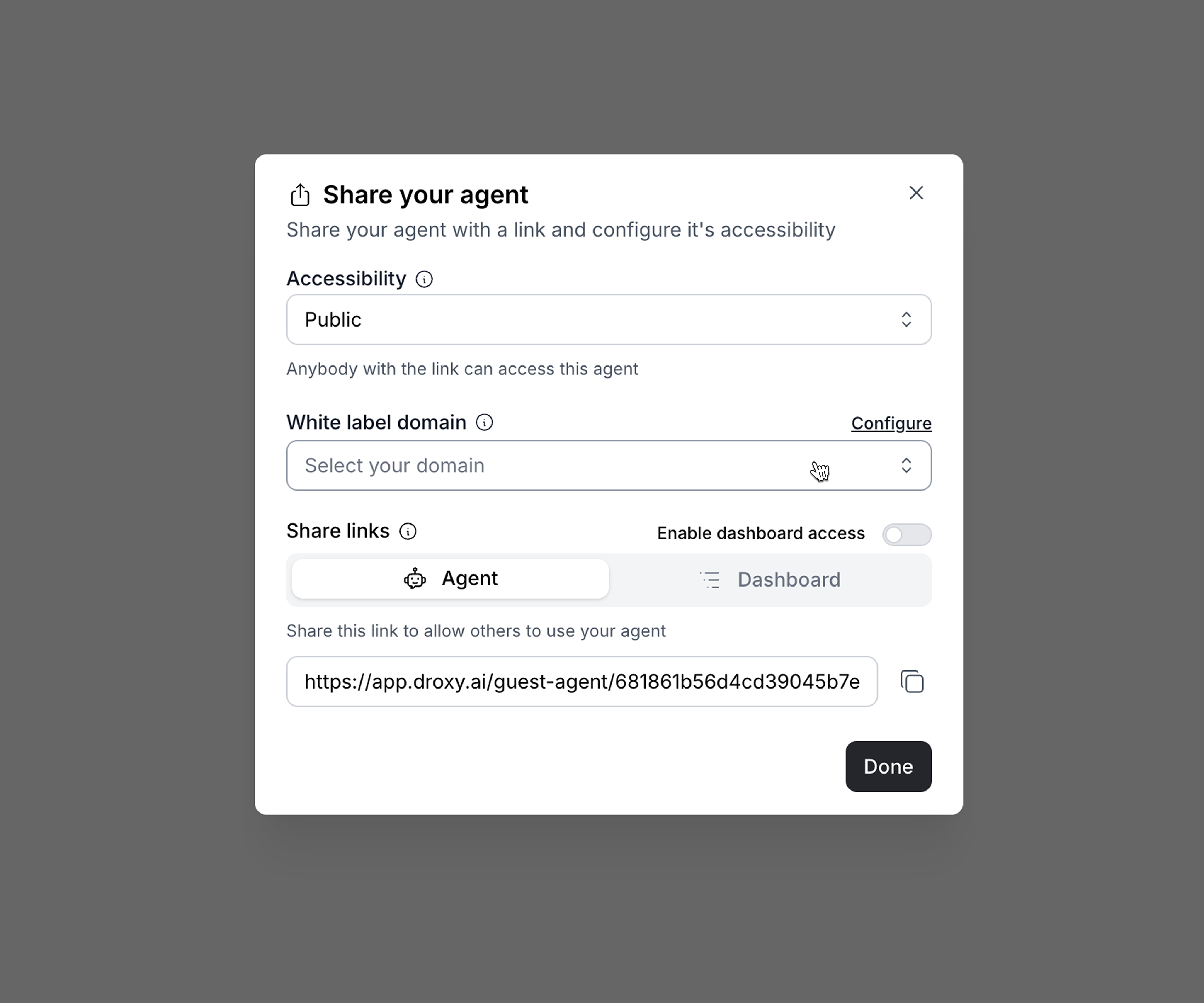 Refer to the [White Label](/documentation/enterprise/whitelabel) documentation for more information on how to set up your white-labeled domain.
### 3. Copy the Share Link
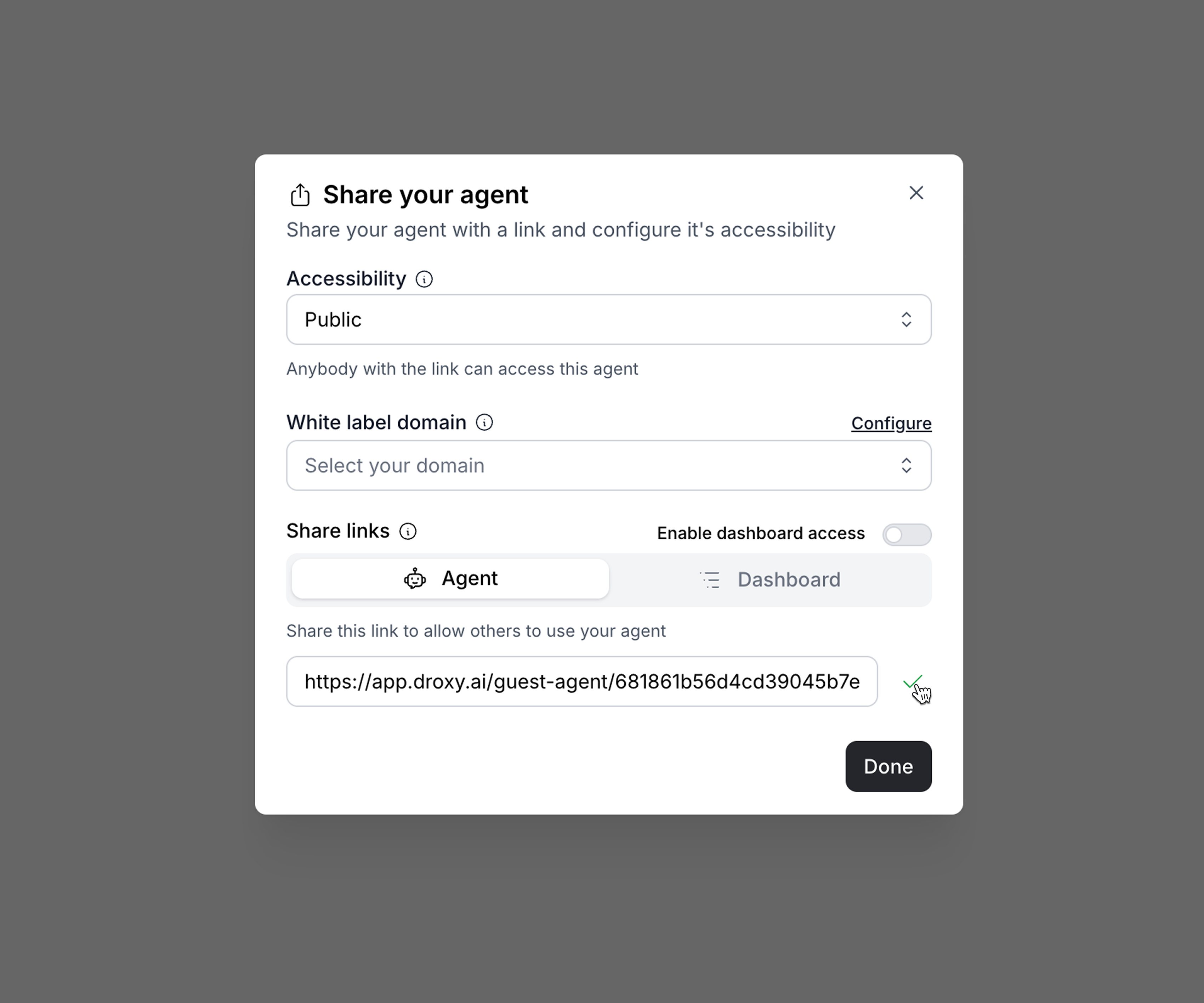
Copy the share link to share the agent with others.
Refer to the [White Label](/documentation/enterprise/whitelabel) documentation for more information on how to set up your white-labeled domain.
### 3. Copy the Share Link
Copy the share link to share the agent with others.