> ## Documentation Index
> Fetch the complete documentation index at: https://docs.droxy.ai/llms.txt
> Use this file to discover all available pages before exploring further.
# Automatic Sync
> Keep your knowledge sources up to date with automatic sync
 ## Why Automatic Sync?
Knowledge is dynamic and constantly evolving. While human employees stay updated through announcements and documentation updates, AI agents need a systematic way to maintain current knowledge. This is where automatic sync becomes crucial.
The automatic sync feature ensures your AI agents always have access to the most up-to-date information, enabling them to:
* Provide accurate responses based on current information
* Stay aligned with latest company policies and procedures
* Reflect recent product updates or changes
* Maintain consistency with current business practices
## How to Configure Automatic Sync
Automatic sync is currently available for **Website** and **Google Drive** knowledge data sources. You can configure sync settings in two ways:
### During Initial Upload
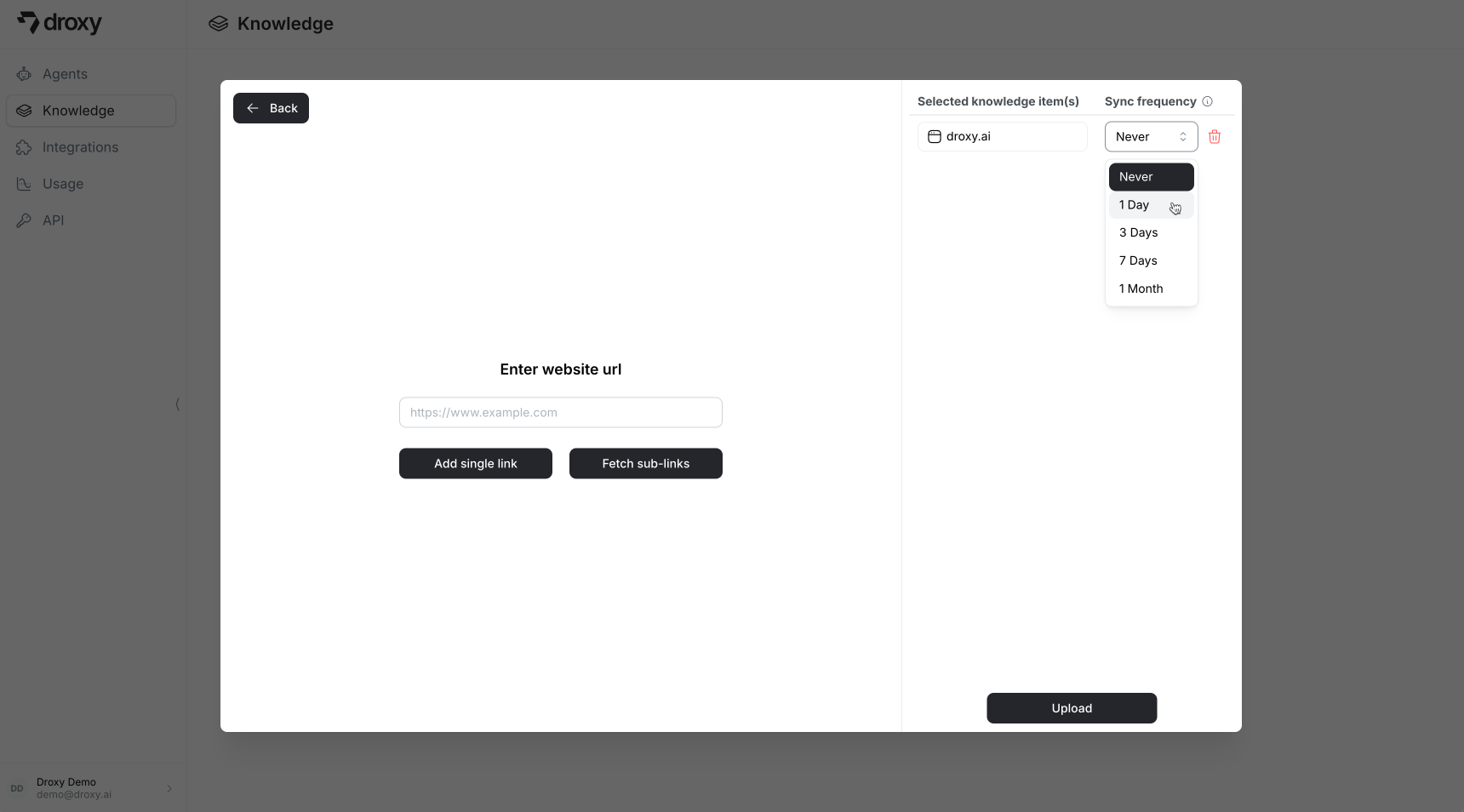
When uploading a new resource, select your preferred sync frequency from the dropdown menu:
## Why Automatic Sync?
Knowledge is dynamic and constantly evolving. While human employees stay updated through announcements and documentation updates, AI agents need a systematic way to maintain current knowledge. This is where automatic sync becomes crucial.
The automatic sync feature ensures your AI agents always have access to the most up-to-date information, enabling them to:
* Provide accurate responses based on current information
* Stay aligned with latest company policies and procedures
* Reflect recent product updates or changes
* Maintain consistency with current business practices
## How to Configure Automatic Sync
Automatic sync is currently available for **Website** and **Google Drive** knowledge data sources. You can configure sync settings in two ways:
### During Initial Upload
When uploading a new resource, select your preferred sync frequency from the dropdown menu:
 ### After Upload
You can modify the sync frequency for existing knowledge items at any time:
### After Upload
You can modify the sync frequency for existing knowledge items at any time:
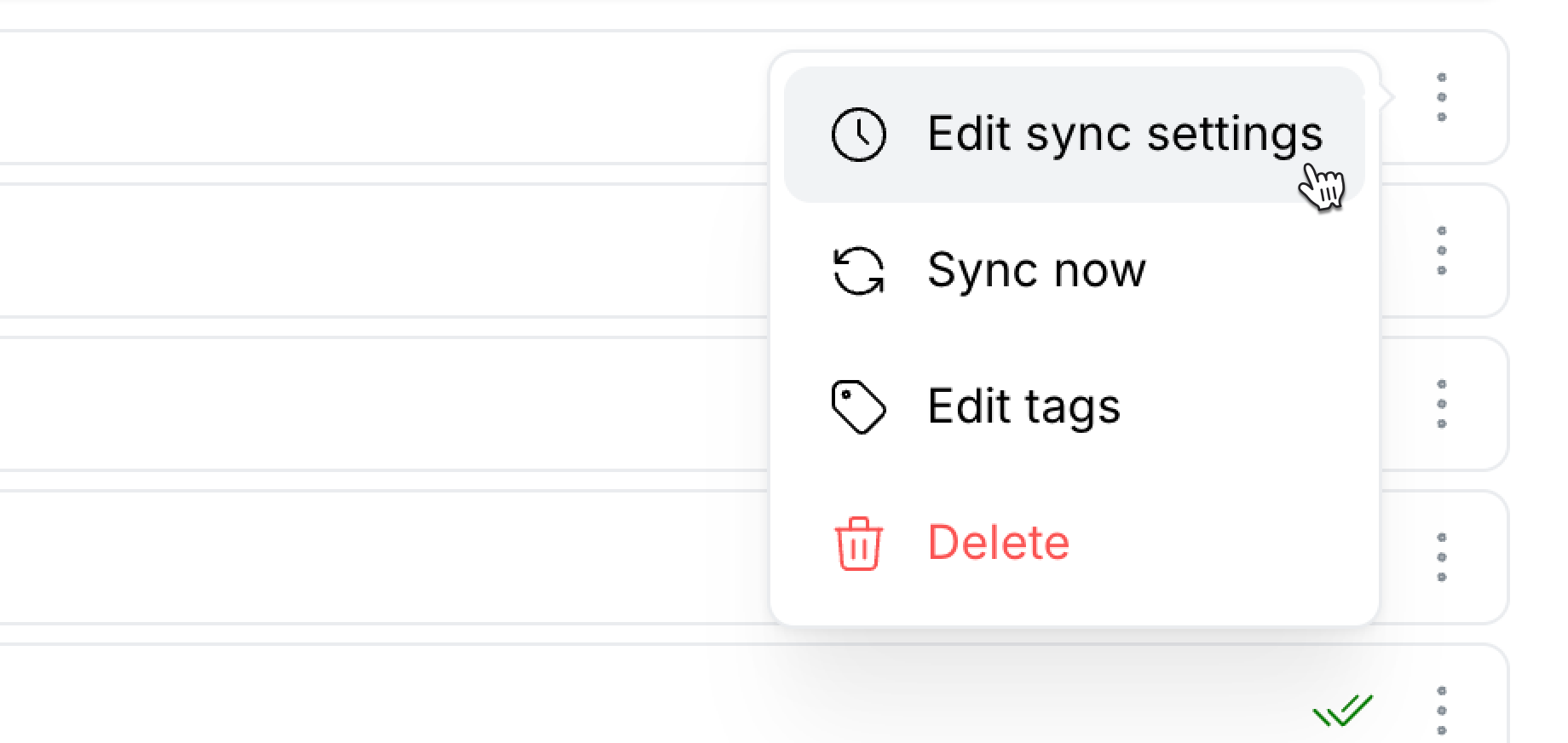 1. Navigate to the **Knowledge** section
2. Click the menu icon `⋮` next to the knowledge item
3. Select **Edit sync status**
4. Choose your desired sync frequency
## Sync Process
The sync process uses knowledge tokens for each sync operation. Make sure to select a sync frequence that is appropriate for your plan and the nature of your knowledge item.
Once configured, the sync process works automatically:
* Droxy retrieves and updates knowledge at your specified interval
* The knowledge item is refreshed with the latest content
* Agents using this knowledge item immediately gain access to the updated information
* No manual intervention is required to maintain current knowledge
1. Navigate to the **Knowledge** section
2. Click the menu icon `⋮` next to the knowledge item
3. Select **Edit sync status**
4. Choose your desired sync frequency
## Sync Process
The sync process uses knowledge tokens for each sync operation. Make sure to select a sync frequence that is appropriate for your plan and the nature of your knowledge item.
Once configured, the sync process works automatically:
* Droxy retrieves and updates knowledge at your specified interval
* The knowledge item is refreshed with the latest content
* Agents using this knowledge item immediately gain access to the updated information
* No manual intervention is required to maintain current knowledge